
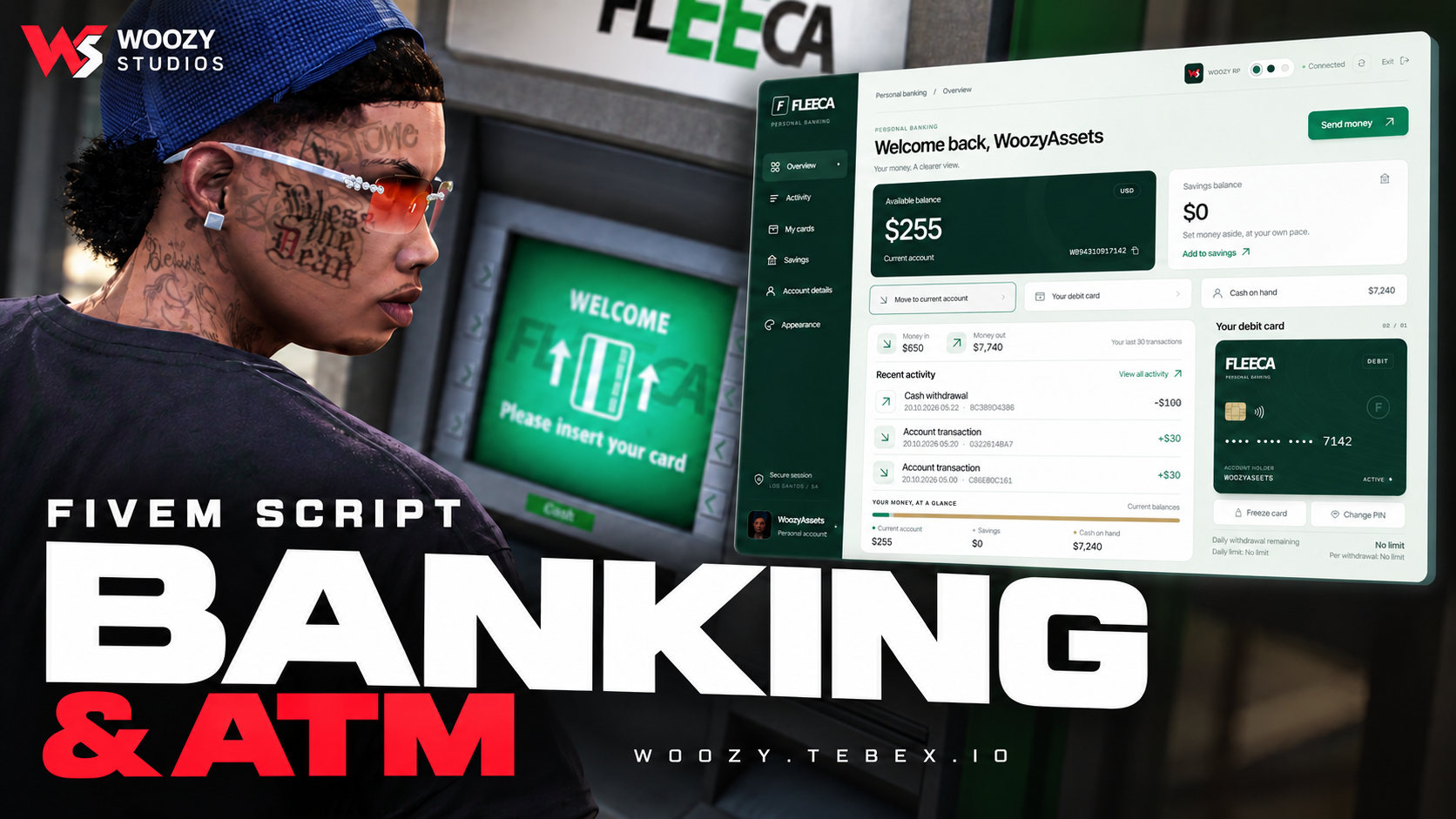
Woozy Banking — ATM & Banking System
15.99 USD
19.99
-%20.01
- Instant delivery after payment
- Cfx.re escrow protected
- Free lifetime updates
- Discord support included
Woozy Banking — Escrow
Give your players an immersive in-world banking experience with interactive ATMs, cash deposits and withdrawals, savings, player transfers, and a modern bank-branch interface.
QBCore · Qbox · ESX · 10 Languages · Custom Branding
✅ Main Features
- Interactive ATMs: In-world screens, physical keypad interaction, card insertion, and PIN flow across supported stock GTA ATM models.
- Cash Deposits & Withdrawals: Withdraw cash from your framework bank account, collect it at the ATM, and deposit cash back.
- Bank-Branch Dashboard: View your balance and recent activity, manage card settings, transfer funds, and access savings.
- Player Transfers: Transfer funds between registered player accounts, including offline recipients.
- Savings Account: Move funds between your main account and savings.
- Card Controls: Change your PIN and freeze or unfreeze your card.
- Framework Balance: Uses your existing framework bank balance by default.
- Server-Side Validation: Banking actions validate the player, account, amount, session, and ATM position on the server.
- Custom Branding: Configure the bank identity, server logo, colors, and appearance.
- 10 Languages: English, Azerbaijani, Turkish, Spanish, Portuguese, French, German, Russian, Polish, and Italian.
⚙️ Technical Information
- Frameworks: QBCore, Qbox, and ESX — automatic detection or manual selection.
- Dependencies: oxmysql and OneSync.
- Installation: Import the included
schema.sql, configure the resource, and start it after your framework and oxmysql. - Configuration: Framework, language, branding, banking limits, and custom ATM or branch locations.
- Escrow: Cfx.re Asset Escrow protects eligible Lua files. Configuration and localization files remain editable; NUI web files are included as resource assets.
⚠️ Important: Woozy Banking uses your framework’s bank balance by default. Test it with your installed framework and other money-related resources before using it on a live server.
📞 Support & Community
FREQUENTLY ASKED QUESTIONS
Find answers to common questions about our FiveM scripts and Tebex checkout.
Are your FiveM scripts compatible with ESX, QBCore, and other popular frameworks?
Absolutely! Most of our premium FiveM scripts are designed for broad compatibility, especially with leading frameworks like ESX (ExtendedServer) and QBCore.
How do I install Woozy Studio scripts?
Download from your Tebex purchases, extract the folder into resources, add ensure script_name to server.cfg, then restart the server (or start the resource).
What payment methods do you accept?
Payments are handled by Tebex (cards, PayPal, and regional methods depending on your location).
Are your scripts secure / escrow protected?
Yes. Our assets are delivered through CFX/Tebex systems with ownership validation. Don’t share your account or files.
Do you provide updates?
Yes. Updates are published on Tebex. Re-download the latest version from your purchase page and replace the old files (keep your config backups).
Is support available?
Yes. Join our Discord for support, or contact us through Tebex support options with your purchase details.
Can I customize the scripts?
Most scripts are config-driven. You can change settings in the config files. Editing core encrypted/escrow files may break support.
What are the dependencies?
Dependencies are listed on each product page (e.g. ox_lib, ox_inventory, QB/ESX). Install them before starting the script.
What is your refund policy?
Digital products follow Tebex refund rules. If something doesn’t work, open a support ticket first with errors/screenshots — we’ll help fix it.
Can I use one purchase on multiple servers?
Licenses are for the purchasing CFX account / allowed servers under Tebex terms. Sharing or reselling is not allowed.
RECENT PAYMENTS
Trusted by our community with 150+ successful sales worldwide.

Enderson_Rojo_Romero
Woozy Torture & Kidnap | QBCore, Qbox & ESX
9.99 USD

precyshun
Woozy Studio — Graffiti System V2
59.53 USD

Zero1x
Woozy Torture & Kidnap | QBCore, Qbox & ESX
10.51 USD

caldevelopment
Woozy Studio - Graffiti Script V1
11.99 USD

Pottee
Woozy — Advanced Graffiti System V2
14.99 USD

Legacy.RP
Woozy Studio - Graffiti Script V1
17.91 USD

Whip024
Woozy Studio — Advanced Drug Phone
45.72 USD


